
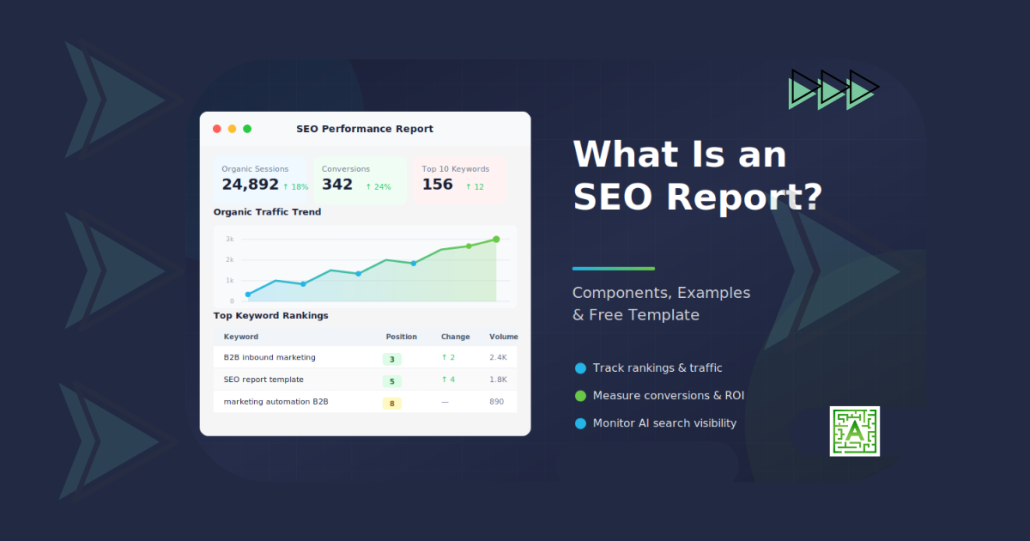
What Is an SEO Report and Why It Matters?

An SEO report is a document that tracks your website’s search engine performance. It includes metrics like keyword rankings, organic traffic, technical health, backlinks, conversions, and AI search visibility. SEO reports show what’s working, what needs attention, and where to focus your optimization efforts next.
Whether you’re reporting to clients, executives, or your own team, a well-structured SEO report turns raw data into actionable insights. This guide covers what to include, how to present it, and what a finished report looks like, with a sample SEO report you can model your own on.
Why SEO Reports Matter
SEO takes time. Without regular reporting, it’s difficult to know if your efforts are paying off or where to adjust your strategy.
A good SEO report answers three questions:
- What’s working? Which pages, keywords, and content drive the most traffic and conversions?
- What needs attention? Are there technical issues, ranking drops, or missed opportunities?
- What should we do next? What specific actions will improve performance?
For agencies, SEO reports demonstrate ROI and justify continued investment. In-house teams align stakeholders around priorities and track progress toward goals.
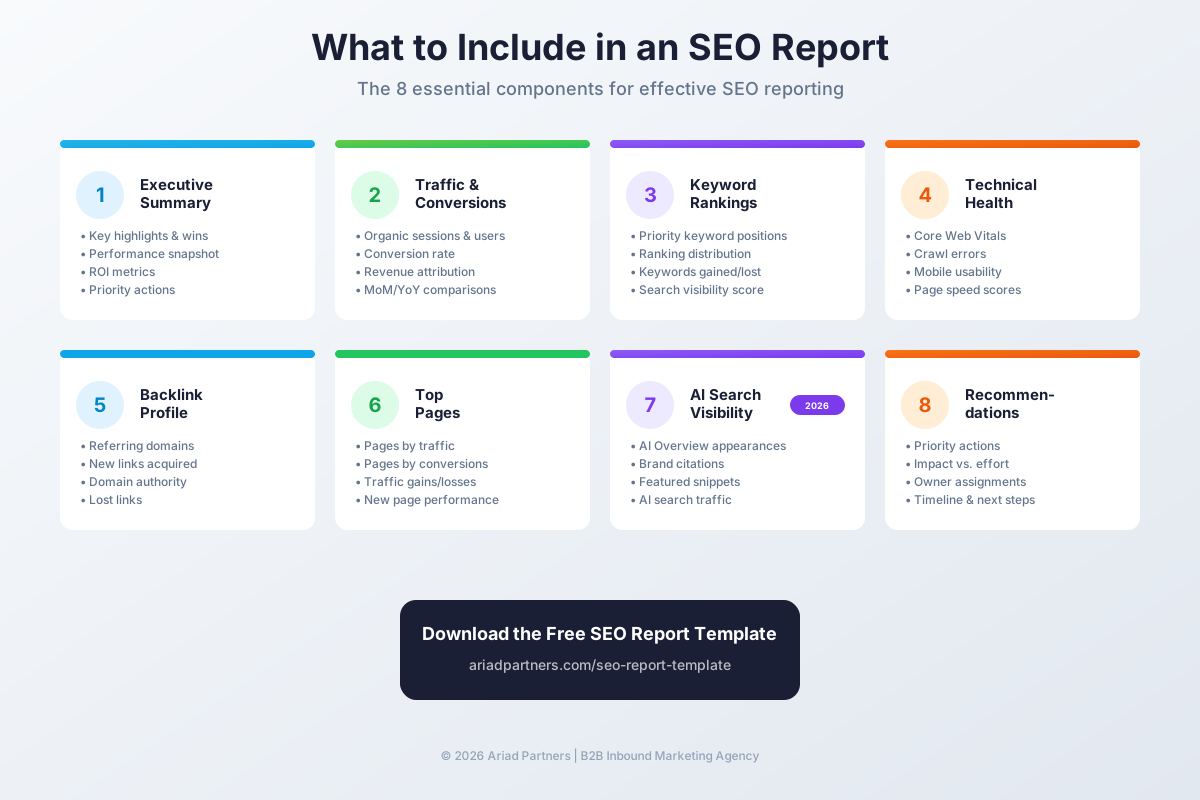
What to Include in an SEO Report
The best SEO reports balance comprehensiveness with clarity. Include enough detail to be useful, but not so much that key insights get buried.
1. Executive Summary
Start with a high-level overview. Summarize performance in 2-3 sentences, highlight the biggest wins, flag any concerns, and preview your recommendations.
This section is often the only part executives read. Make it count.
2. Organic Traffic and Conversions
Report total organic sessions, users, and pageviews. Compare to the previous period (month-over-month or year-over-year).
Key metrics to include:
- Total organic sessions
- New vs. returning visitors
- Bounce rate and average session duration
- Conversions from organic traffic (leads, signups, purchases)
- Conversion rate
- Revenue attributed to organic search
For B2B companies, also track marketing-qualified leads (MQLs) and pipeline influenced by organic content. Our guide to SEO KPIs that show whether search is working covers which of these numbers leadership actually cares about.
3. Keyword Rankings
Track how your target keywords perform in search results over time.
Include:
- Rankings for priority keywords
- Ranking distribution (positions 1 to 3, 4 to 10, 11 to 20, and so on)
- Keywords gained and lost
- Featured snippet and AI Overview appearances
- Visibility score or share of voice
Focus on keywords that drive business outcomes. A position-one ranking for a low-intent keyword matters less than a position-five ranking for a high-converting term.
4. Technical Health
Report on the technical factors that affect crawling, indexing, and user experience.
Key technical metrics:
- Core Web Vitals (LCP, INP, CLS)
- Page speed scores (mobile and desktop)
- Crawl errors and indexing issues
- Broken links (internal and external)
- Mobile usability issues
- HTTPS and security status
Use Google Search Console, Screaming Frog, or Semrush Site Audit to identify issues.
5. Backlink Profile
Track the quantity and quality of sites linking to yours.
Backlink metrics to report:
- Total referring domains
- New links acquired this period
- Links lost
- Domain authority or domain rating trend
- Top new linking domains
- Toxic or spammy links identified
Quality matters more than quantity. A few links from authoritative industry publications outperform hundreds of low-quality directory links.
6. Top Performing Pages
Identify which pages drive the most organic traffic and conversions.
Include:
- Top 10 pages by organic sessions
- Top pages by conversions
- Pages with significant traffic gains or losses
- New pages published and their initial performance
This helps identify content that resonates and opportunities to replicate success.
7. Competitor Comparison
Benchmark your performance against competitors.
Compare:
- Share of voice for target keywords
- Ranking positions for priority terms
- Domain authority trends
- Content gaps (keywords competitors rank for that you don’t)
- Backlink growth rates
Competitor analysis reveals opportunities and helps contextualize your own performance.
8. AI Search Visibility
Traditional SEO metrics no longer tell the whole story, so your SEO report should also track AI search visibility.
AI search metrics to include:
- Brand mentions in Google AI Overviews
- Citations in Perplexity, ChatGPT, and Gemini
- AI Overview and AI Mode impressions from Search Console’s Generative AI report (impressions only; it doesn’t show clicks)
- Referral traffic and conversions from AI assistants such as ChatGPT, Perplexity, and Gemini
Track AI referrals separately from the rest of your organic traffic so you can see their real business impact. Keep in mind that clicks from Google’s AI Overviews and AI Mode show up in GA4 as regular organic search, so your AI referral numbers only capture the standalone AI tools.
9. Recommendations and Next Steps
End every SEO report with specific, prioritized recommendations.
Good recommendations are:
- Specific: “add FAQ schema to the pricing page” is useful; “improve content” isn’t
- Prioritized by impact and effort
- Tied to the data in the report
- Assigned to a responsible party with a timeline
Without recommendations, a report is just a data dump; the recommendations are what turn insights into action.
Sample SEO report
Here’s what a one-page monthly SEO report looks like when all nine components come together. The entries in brackets are placeholders; swap in your own numbers and keep the structure.
| Section | Sample entry | What it tells the reader |
|---|---|---|
| Executive summary | Organic conversions rose [X%] over the same month last year, led by [page]. One concern: [issue]. Top priority next month: [action]. | The whole month in three sentences, for readers who stop here |
| Traffic and conversions | Organic sessions: [number], [+/-X%] year over year. Organic conversions: [number]. Pipeline influenced: [$ amount]. | Whether search is bringing in buyers, not just visitors |
| Keyword rankings | [X] priority keywords in the top 10 (up from [Y]). Biggest gain: [keyword], position [A] to [B]. | Movement on the searches tied to what you sell |
| Technical health | Core Web Vitals: [pass/fail]. New indexing issues: [number]. Broken links fixed: [number]. | Whether anything under the hood needs action |
| Backlinks | Referring domains: [number] ([+X] this month). Notable new link: [site]. | How your authority is trending |
| Top pages | Top converting page: [URL], [number] conversions. Biggest drop: [URL], [-X%]. | Which content to build on and which to fix |
| Competitors | Share of voice: [X%] vs. [competitor] at [Y%]. New content gap: [topic]. | Where you stand in your market |
| AI search visibility | Cited in [X] of [Y] tracked prompts. AI Overview impressions: [number]. AI referral sessions: [number]. | Whether AI tools are recommending you |
| Recommendations | 1. [Action], owner [name], due [date]. 2. [Action], owner [name], due [date]. | Exactly what happens next and who owns it |
Notice the order: results first, then the diagnostics that explain them, then the plan. That’s the sequence a busy reader needs, and it keeps the report short enough to actually get read.
Free SEO report template
Want this as a working spreadsheet?
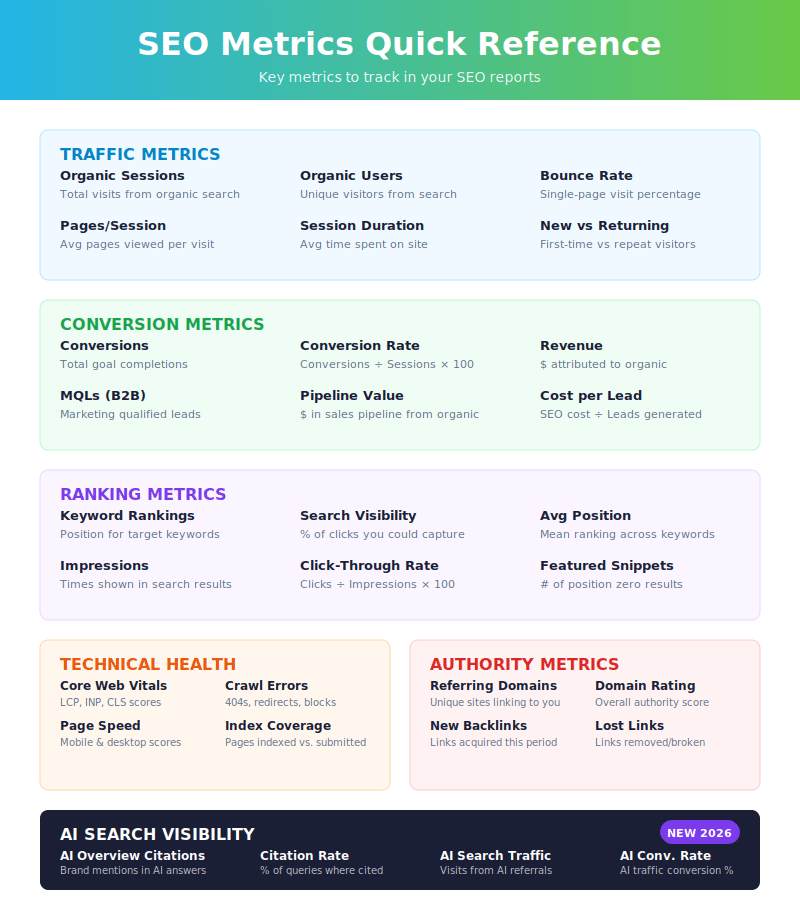
Get 8 pre-built sheets covering traffic, rankings, technical health, backlinks, and AI search visibility, plus a one-page metrics reference card. Works in Excel or Google Sheets.
SEO report formats
Choose the format that works best for your audience and workflow.
Live dashboards
Tools like Looker Studio, Databox, or AgencyAnalytics create real-time dashboards that update automatically.
- Best for: Teams that check metrics frequently, clients who want self-serve access, and anyone who needs ongoing monitoring.
PDF or slide reports
Static reports work well for formal presentations, executive reviews, and documentation.
- Best for: Monthly or quarterly reviews, stakeholder presentations, and archiving performance history.
Spreadsheet reports
Excel or Google Sheets reports allow detailed data analysis and custom calculations.
- Best for: Technical teams, detailed keyword tracking, and custom metric calculations.
How often to create SEO reports
Reporting frequency depends on your goals and audience.
- Weekly: Active campaigns, large sites with frequent changes, or clients who want close monitoring.
- Monthly: The standard for most SEO programs, with enough time to see meaningful trends without creating reporting fatigue.
- Quarterly: Executive summaries, strategic reviews, and high-level performance assessments.
Most teams use monthly reports as their primary cadence, with quarterly summaries for leadership and ad hoc reports for specific projects or issues.
SEO reporting tools
No single tool does everything, so most SEO reports pull data from multiple sources.
Traffic and conversions
- Google Analytics 4: Organic traffic, user behavior, and conversions
- Google Search Console: Impressions, clicks, CTR, average position, and the Generative AI report
Keyword tracking
- Semrush: Keyword rankings, visibility, and competitor analysis
- Ahrefs: Keyword tracking, content gaps, and backlink data
- Moz: Keyword rankings and domain authority
Technical audits
- Screaming Frog: Site crawls and technical issue identification
- Sitebulb: Visual site audits with prioritized recommendations
- Google PageSpeed Insights: Core Web Vitals and speed scores
Dashboards and visualization
- Looker Studio: Free, customizable dashboards connected to Google data
- Databox: Multi-source dashboards with automated reporting
- AgencyAnalytics: White-label reporting for agencies
SEO reporting is how you turn data into decisions. A well-structured report keeps stakeholders informed, identifies opportunities, and drives continuous improvement. Many SMBs run the report themselves, then bring in an organic SEO consultant to execute the fixes it surfaces.
Need help building an SEO reporting framework that tracks what matters? Contact Ariad Partners to talk through how we can help you measure and improve your organic search performance.
Download the Free SEO Report Template
The template works in Google Sheets or Excel and can be customized for your specific needs and branding.
Free SEO report template
Stop building SEO reports from scratch
Get 8 pre-built sheets covering traffic, rankings, technical health, backlinks, and AI search visibility, plus a one-page metrics reference card. Works in Excel or Google Sheets.
Common Questions



Leave a Reply
Want to join the discussion?Feel free to contribute!