5 Ways to Use AI to Automate Everyday Work Tasks

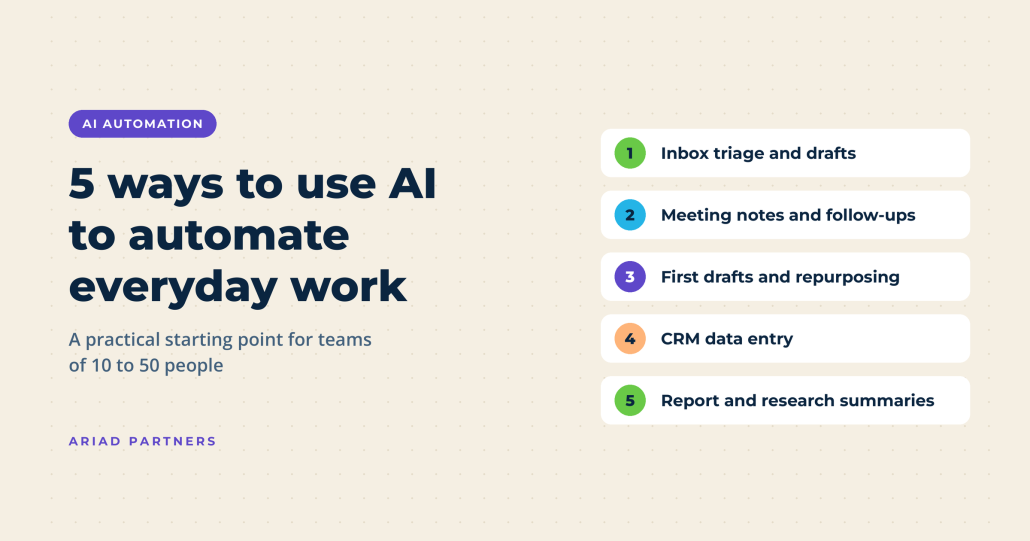
The five most practical ways to use AI to automate everyday work tasks are inbox triage and email drafting, meeting notes and follow-ups, first drafts and content repurposing, data entry and CRM updates, and reporting and research summaries. Each one goes after the repetitive work that quietly eats a small team’s week, and none of them needs a developer or a big software budget to get started.
If you run a team of 10 to 50 people, you already know where the hours go. Microsoft’s 2023 Work Trend Index found that across Microsoft 365 apps, the average employee spends 57% of their time communicating in meetings, email, and chat (that figure comes from usage data in Microsoft’s own apps, so it skews toward Office teams, and it’s a few years old; treat it as directional). That’s exactly the slice of the day AI is good at shrinking.
Most small businesses have already dipped a toe in, too. In a Goldman Sachs 10,000 Small Businesses Voices survey, 76% of small business owners said they currently use AI, yet only 14% have it fully integrated into core operations (1,256 program participants surveyed January 27 to February 4, 2026 by Babson College and David Binder Research; people in a business education program may be more tech-forward than the average owner). So the real question is where to put AI so it actually gives your team hours back. Here’s where we’d start.
How to Use AI to Automate Tasks: 5 Places to Start
1. Use AI to triage your inbox and draft routine emails
AI can sort, summarize, and draft replies to routine emails, which means less time living in your inbox and more time on the work you were hired to do. Most major email platforms now ship with a built-in AI assistant, so you may already be paying for this without using it.
Where it earns its keep:
- Summarizing long threads so you can catch up on a 30-message chain before you jump into it
- Drafting replies to repeat questions like pricing requests, scheduling, and project status updates
- Sorting and routing inbound mail so sales inquiries, support requests, and vendor invoices land with the right person
One rule we’d never bend: a human reads every client-facing email before it goes out. AI is a fast first-drafter; it doesn’t know that this particular client hates being rushed or that you promised them a call on Friday (your name is on the message, after all).
2. Let AI take meeting notes and send the follow-ups
AI notetakers record, transcribe, and summarize meetings, then pull out decisions and action items so nobody has to play scribe. Have you ever walked out of a call and realized nobody wrote down who owns what? This fixes that.
A good setup sends a recap with owners and due dates to everyone within minutes of the call ending, pushes action items into your project management tool or CRM so they don’t die in someone’s notes app, and keeps a searchable record (a lifesaver when a client asks what was agreed back in March).
Free AI notetakers worth a look (each has a free plan, with limits, as of November 2026):
- Fathom: unlimited recording and transcription on Zoom, Google Meet and Microsoft Teams; its advanced AI features are capped at a few calls a month
- Otter.ai: live transcripts you can follow during the call; the free plan caps monthly minutes and the length of each conversation
- tl;dv: unlimited recordings and transcripts, with AI meeting notes on a limited number of meetings
- Read AI: a handful of meeting summaries each month on the free plan
- Fireflies.ai: a free plan with limited storage, built to grow into a team rollout with CRM sync
- Granola: records from your own computer with no bot in the call; the free plan keeps a limited window of meeting history
If your team already lives in Zoom, Microsoft Teams or Google Meet, check the AI notes feature built into your plan before you add another subscription. Features and pricing change often in this category, so confirm the current details before you sign up.
Expert tip: tell attendees when you’re recording.
Some states, including Pennsylvania, require everyone’s consent before a conversation is recorded, so make an announcement (or a line in the calendar invite) part of the routine.
3. Get to a first draft faster, then repurpose it
AI is at its best getting you past the blank page, and that’s where most small teams already use it. In the U.S. Chamber of Commerce Foundation’sMain Street AI Monitor, 64% of small business workers who use AI said their primary use is personal productivity: drafting, summarizing, and brainstorming (Ipsos surveyed 1,070 adults working at businesses with 2 to 499 employees, May 8 to 11, 2026).
Good candidates for an AI first draft:
- Proposals, scopes of work, and SOPs built from your own past examples
- Job descriptions and onboarding checklists
- Social posts, email snippets, and FAQs pulled from a blog post you’ve already written
- A blog outline built from a webinar or sales call transcript
Here’s the catch (and it’s a big one for anyone who cares about search). Generic AI copy reads like everyone else’s generic AI copy, and neither Google nor AI search tools have much reason to surface it. What gets found and cited is content with first-hand expertise, real examples, and a point of view only your team can bring. Let AI handle the scaffolding; the substance has to come from you and your expert knowledge of your industry.
4. Hand off data entry so your CRM stays clean
AI can pull specific information out of emails, web forms, invoices, and call notes and drop it directly into your CRM or spreadsheets, so your team stops retyping the same details into three different places. These are the types of time consuming tasks to look for, and are worth handing off.
In practice, that might look like:
- New contacts and companies created automatically from form fills and email signatures
- Call and meeting summaries logged to the right contact record
- Records enriched with company size, industry, and website details
- Duplicates flagged before they turn your database into a junk drawer
Why does this matter beyond saving keystrokes? Because every other automation workflow you build (lead nurturing, sales follow-up, reporting) is only as good as the data underneath it. Clean CRM data is the foundation; skip it and everything built on top gets wobbly. If you’re on HubSpot, its workflows and built-in AI tools cover a lot of this out of the box, and our HubSpot solutions team can help you set it up so it actually sticks.
5. Turn reports and research into plain-English summaries
AI can read a spreadsheet, an analytics export, or a 40-page PDF and tell you what matters in a few paragraphs. For a small team without a dedicated analyst, that’s a real shortcut.
Try it on:
- Your weekly or monthly marketing and sales numbers, summarized into what changed and why it might have changed
- RFPs, contracts, and vendor proposals, boiled down to scope, deadlines, and red flags
- Competitor websites and industry reports, turned into a one-page brief before a strategy meeting
- Customer reviews and survey responses, grouped into recurring themes
Expert tip: Always check the data.
AI is infamous for misreading a column, mixing up date ranges, and going rouge by confidently summarizing a trend that isn’t there. Use the summary to identify key areas and information that are worth a second look, then confirm anything you’ll act on (or put in front of a client) against the source data.
How to start using AI to automate tasks without overwhelming your team
Start with one task, measure it, and expand from there. Trying to automate everything at once is how AI ends up as a pile of half-used subscriptions.
- Pick one recurring task that eats at least an hour a week and follows a predictable pattern. Meeting recaps and inbox triage are easy first wins.
- Time it before you change anything so you have an honest baseline to compare against.
- Run AI on it for two to four weeks, with a person reviewing every output.
- Measure the result: time saved, errors caught, and whether the people doing the work actually like it.
- Write down the rules before you roll it out further: which tools are approved, what data can and can’t go into them (client confidential information and anything regulated stay out of free consumer tools), and who reviews what.
That last step matters more than most owners think. In the Chamber Foundation’s worker survey, 19% of small business employees said AI adoption at their organization was driven mostly by employees exploring tools on their own, compared with 11% who said it came from management. Translation: your team is probably already using AI, with or without a policy. Goldman Sachs found the same appetite for structure from the owner side, with 73% saying more training and resources would help them implement AI successfully.
Inbound is a marathon, not a sprint, and so is getting real value out of AI. If you’d like a second set of eyes on where AI fits into your marketing and sales operations, talk to Ariad Partners.
Sources
- Goldman Sachs 10,000 Small Businesses Voices: AI presents a major opportunity for small businesses
- U.S. Chamber of Commerce Foundation: Half of small business workers use AI, most to boost productivity
- U.S. Chamber of Commerce Foundation: What small business owners say AI is actually doing at work
- Microsoft Work Trend Index 2023: Will AI fix work?
Common Questions